How to get rid of production cost overhead by optimizing in-game debug tools?
If all you have is a hammer, everything looks like a nail.
In this article, I’m gonna:
Show you how to easily increase the performance of your in-game debug tools 100x.
Show how to save lots of production budget by optimizing your in-game debug toolkit.
Walk you through the Paradigms of Graphic Interfaces and find the most performant solution for in-game debug tools in your project.
Introduction
It was almost 10 years ago when I made my first steps in game development. One of the very first things I got access to was a game engine. Unity was around version 5 back then. It took me a couple of years to understand that a big part of the general-purpose tools delivered by the engine comes at a horrendous price for their universality.
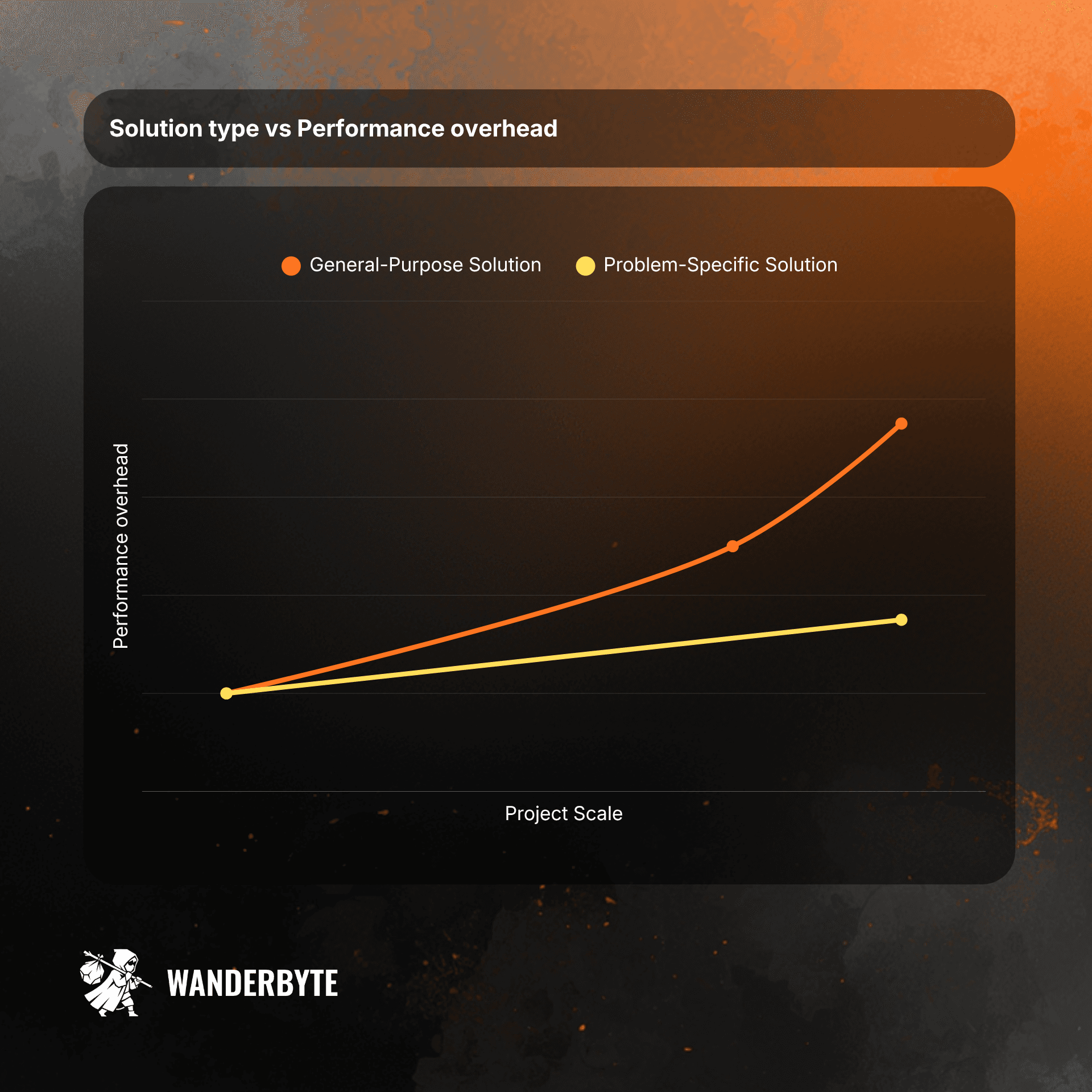
General vs specific solution spaces
Let’s imagine we were tasked with implementing a performant, juicy player movement system for a 2D platformer.
Now, let’s imagine implementing such a system that fits similarly well for any other game genre.
The former is incomparably less complex than the latter. The solution space for the former is obviously much more constrained. When the general-purpose movement system needs to cover all edge cases across various 2D/3D genres, the specific implementation can focus on solving this problem only for that small subspace.
It’s obviously true for all types of computer problems. The more constrained the problem:
1) The fewer resources we need to spend on implementing and maintaining it
2) The better final performance we can target.
Does that mean I should always implement my own engine from scratch, specifically for my super-customized game?
Obviously not. Modern engines’ general-purpose tools/systems are great at solving the majority of problems, especially for small- to medium-sized games. The performance overhead introduced that way is usually negated by continually improving hardware.
The problem arises when you must prioritize performance as your scope grows really big.
Big games often balance on the border of the performance budget.
Big scope games' nature forces us to put maximal attention to performance even at the early stages of development. Especially when we talk about development tools. I’m keeping meeting people who say
Hey, the tool doesn’t make it into the final product, so I don’t care about its performance.
This approach kinda makes sense … until you slow down the whole company on a super repetitive task that steals a lot of everybody’s time every day, since it performs poorly.
Performance overhead.
Maintenance Cost = (Extra Time Wasted) X (Frequency of Interactions) X (Project Lifespan)
Any time your team spends on the loading bar, or when your tool just stalls, it costs your game production a few coins and some user sanity points. Sanity points in that case are wasted due to the attention switch. (pending task → whatever else I can do in the meantime).
We wanna always avoid that.

Unity Domain Reload window: I love that one, do you?
Tool extension cost overhead.
Extension Cost = (Extra Time Wasted) X (Frequency of Extensions) X (Project Lifespan)
Any time your team tries to add a small toggle to the tool you created and can’t figure it out immediately, it costs your game production a few coins and some user sanity points. Sanity points in that case are wasted due to the attention switch (pending task → how to extend the tool task)
We wanna always avoid that.
Sanity points also convert to money.
It turns out developer sanity points tend to be more expensive than money burned from bare waiting. Changing attention contexts is, for me, one of the biggest productivity killers throughout the entire development.
Every time I switch my attention from the pending task to another tab, task, chat (whatever), it feels like a sudden brake on a car at maximum speed. The detailed analysis of attention switch cost is gonna be the topic of a separate article.
In-game runtime debug tools.
One area that might significantly slow down your production is the tech for in-game debug tools. Obviously, choosing the wrong tech stack here won’t affect the performance or quality of the final game product.
… but it might cost you a lot of money during production.
What are these tools?
Debug gameplay, diagnostics, profiling, etc. - runtime tools that we interact with daily, and that are part of our debugging, QA, or development pipeline, are one of the most ignored production performance bottlenecks I have seen.
In No Rest for the Wicked, development almost every single system has its own debug tools, and we interact with them all the time.
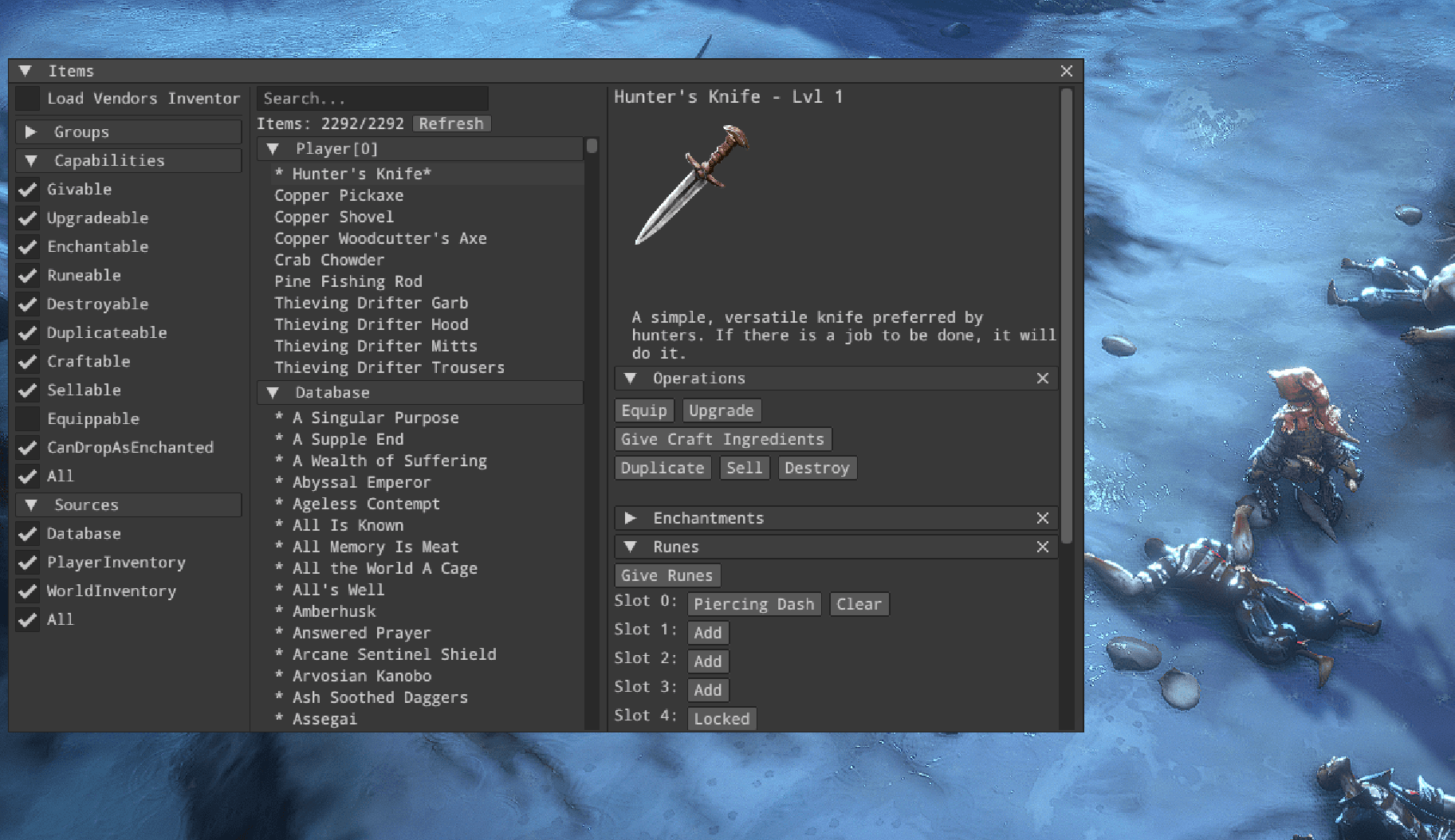
No Rest for the Wicked in-game items debugger tool (Backed with Dear IMGUI)
What tech do we need then?
We target a graphical user interface that is:
Simple: It’s a debug toolkit that won’t be seen by any final users, so we don’t need support for visual customization. A single predefined style UI is enough.
Extendable: You can easily add new features without even thinking about how things work underneath.
Performant: We need these tools to be scalable in terms of performance, so we expect them to efficiently support panels with thousands of elements.
Dynamic: It would be cool if we could easily modify its structure at run-time (It’s related to the support of hot-reload* we're gonna tackle later)
*Hot Reload is a development feature that injects updated source code files into a running application without requiring a full restart or losing the current state
Overview of available solutions
The decision might be obviously split into two subcategories. Retained and immediate mode GUIs. It’s worth getting to know both paradigms.
Retained mode GUI
Retained means the interface structure is stored in an object-based map in memory. The map represents the interface state. We modify the abstract map to update the state, which doesn’t trigger any actual rendering.
Source: https://github.com/ocornut/imgui/blob/master/docs/FAQ.md
The state is retained by the graphics library, and at this stage, the structure is optimized for rendering.
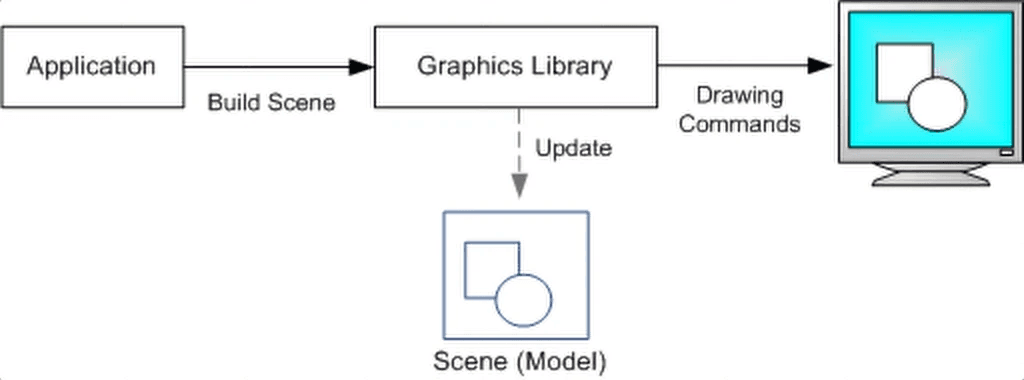
Microsoft Docs: Retained Mode Versus Immediate Mode
Immediate mode GUI
Immediate mode, on the other hand, is stateless. We don’t have any layout map in memory. The layout is generated each frame.
Source: https://github.com/ocornut/imgui/blob/master/docs/FAQ.md
It doesn’t mean every single element is rendered immediately at request time. The layout is recreated every frame. Once it’s ready to be delivered to the graphics API, it’s properly batched for rendering.
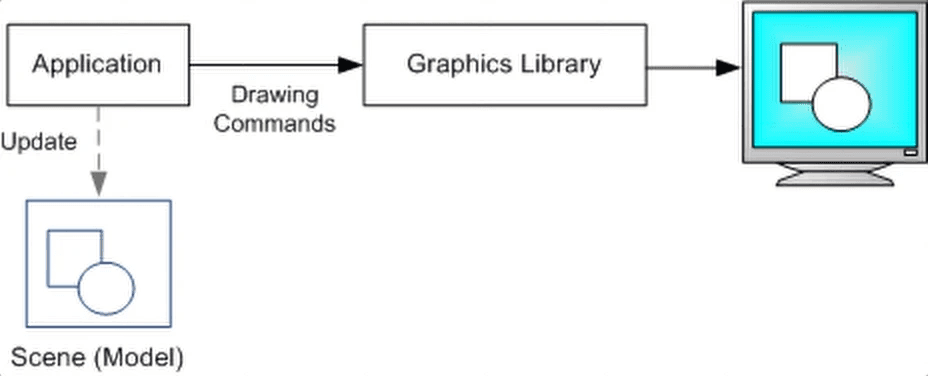
Microsoft Docs: Retained Mode Versus Immediate Mod
Retained vs Immediate mode for in-game debug tools
So which one is better for us?
Immediate mode wins at extensibility. It’s stateless, so you patch a single place in the code to add a new feature to the tool. It also works better with code Hot-Reloading.
It’s pretty important to add debug options, so we don't waste brain capacity understanding how the actual UI works, but just to add a feature, and IMGUIs win here.
To the detriment of Retained mode, in-game debug tools don’t care about any customizability that is required in a release-ready in-game player UI. We just care about tools being functional and cheap.
Let’s take a look at what solutions specific engines support.
Legacy Unity IMGUI
Back in 2007 (Unity 2.0), Unity introduced its first officially supported GUI system - Unity IMGUI. There was no other graphical interface back then, so they had to deliver a general-purpose solution that would work both in the editor and at runtime.
Back then, it was used to even implement in-game UI, until they officially introduced retained mode uGUI in 2014 (Unity 4.6). At that time, the old Unity IMGUI system was referred to as “legacy” in-game tech.
Later, they started developing the UI Toolkit - retained mode GUI inspired by web technologies (USS/UXML). They aim to make it the engine's first-choice GUI.
Unity IMGUI is still supported, and a big part of the engine Editor Tools still relies on that system. That is still their only immediate mode, GUI. That means we can rely on it, no?
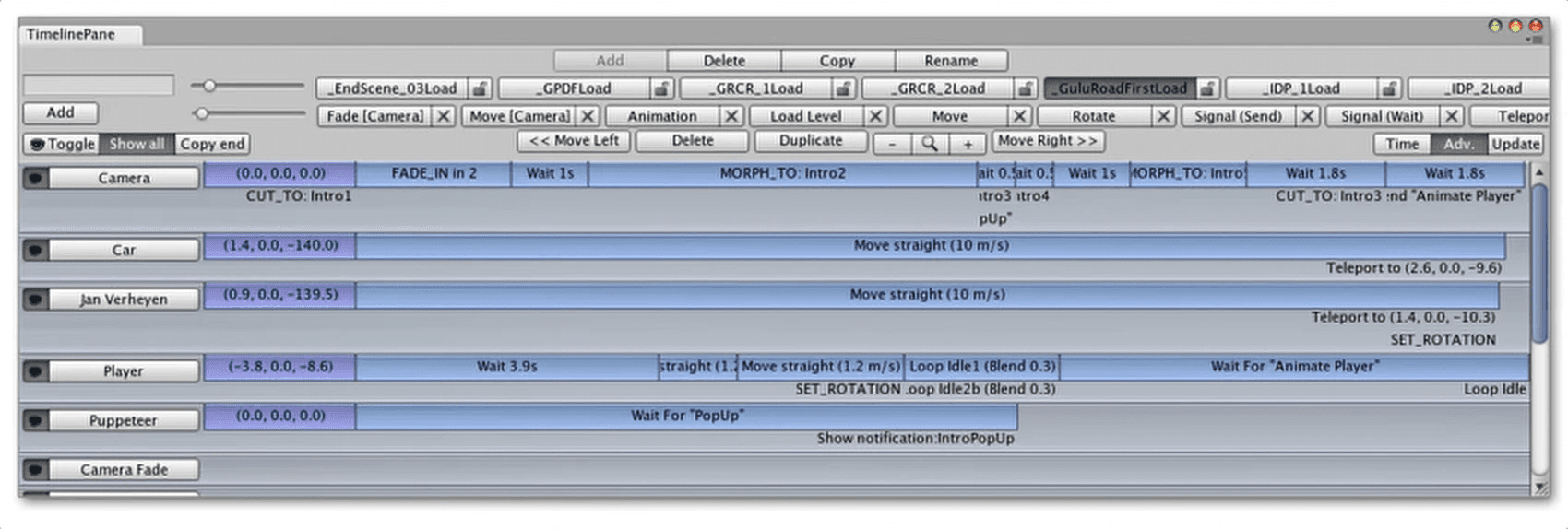
It was designed to be a general-purpose Unity GUI system, so, based on the documentation I accessed, I can tell that the whole solution sacrificed performance for customizability.
Example OnGUI method
Unreal SlateIM
Slate is Unreal's retained core GUI tech intended for in-game UI. Recently, they released an Immediate Mod imitating wrapper called SlateIM. SlateIM wraps the core Slate so it supports an immediate-like API. Under the hood, it just generates a common retained-mode slate layout.
It’s their cheap attempt to have a DearIMGUI-like solution natively supported by the engine. I said 'cheap' because wrapping Slate is much cheaper (maintenance-wise) for them than supporting a one-another UI solution.
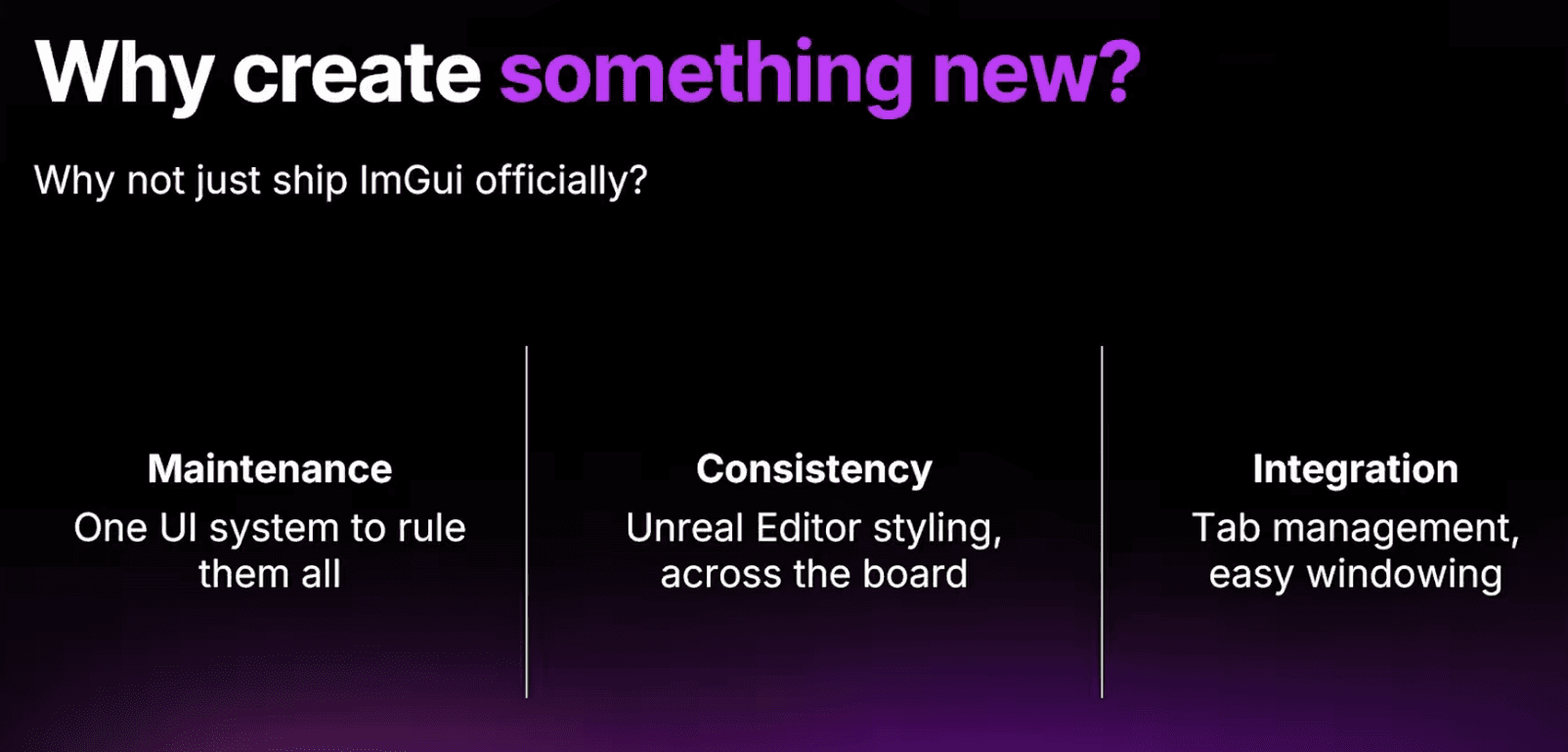
Creating Debug Tools with SlateIM | Unreal Fest Stockholm 2025
At first glance, this solution gonna be expensive, but let’s take a look, and we don’t care that much about editor styling consistency. We do care for easy integration, though.
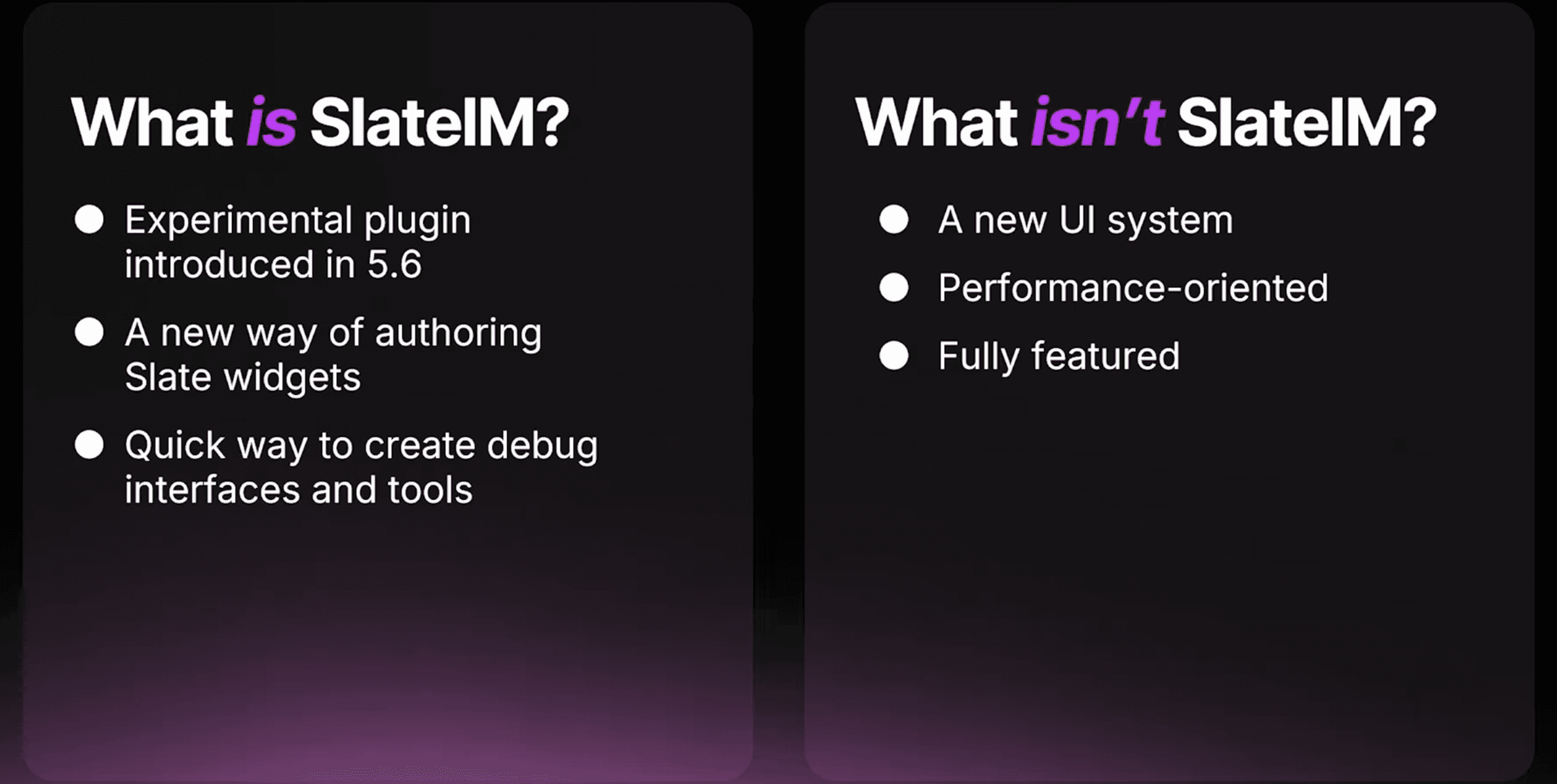
Creating Debug Tools with SlateIM | Unreal Fest Stockholm 2025
The fact that Epic cares about having at least some form of an Immediate mode might indicate that the paradigm makes sense for fast iteration. We check this out!
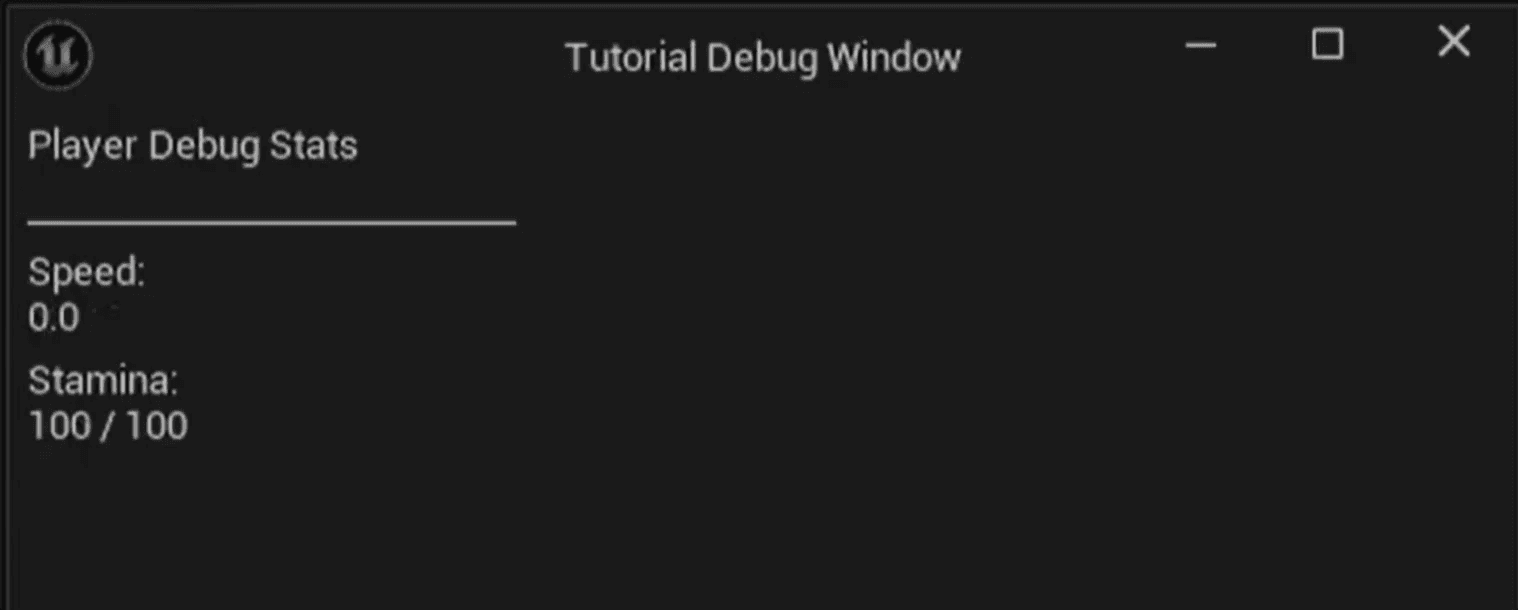
Random example of SlateIM debug window
Dear IMGUI
Dear IMGUI is an industry-standard C++ IMGUI library. It’s designed for minimal performance overhead and extendability. It’s not a native tool in any Unity or Unreal engine, so the user pays for initial integration and ongoing maintenance costs from the start. Is it worth it then?
Unity Integration
We can fork a bunch of third-party Unity-ready solutions to minimize the costs of initial integration.
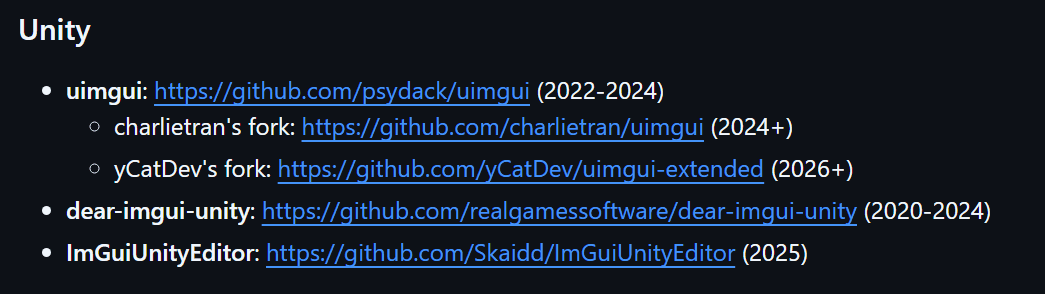
https://github.com/ocornut/imgui/wiki/Bindings
I bet on the latest release and used yCatDev’s fork. I created a blank URP project and then imported the library as a package. The only thing I had to tackle on my own was a proper integration with the render pipeline. The wrapper contains a fully marshaled C# implementation of the DearIMGUI API.
Is there any catch here? Of course.
Spoiler: We're gonna observe it soon in the memory profiler, but the publicly available bindings of DearIMGUI allocate memory with every single string-passing call.
Another thing is that there is no certainty that this specific project will be updated, though. The user takes that risk. On another note, it’s likely somebody will release support for new engine versions. We can tell that just by looking at how big the community around the library is.
If we decide to sacrifice memory optimization and use one of the forks from the list, it’s gonna take us 30 minutes, and we'll be ready to use it in Unity. Preparing our own bindings, though, requires much more time and work.
Unreal Integration
Same deal with Unreal. I forked the latest version and dropped it into the project's Plugins folder.
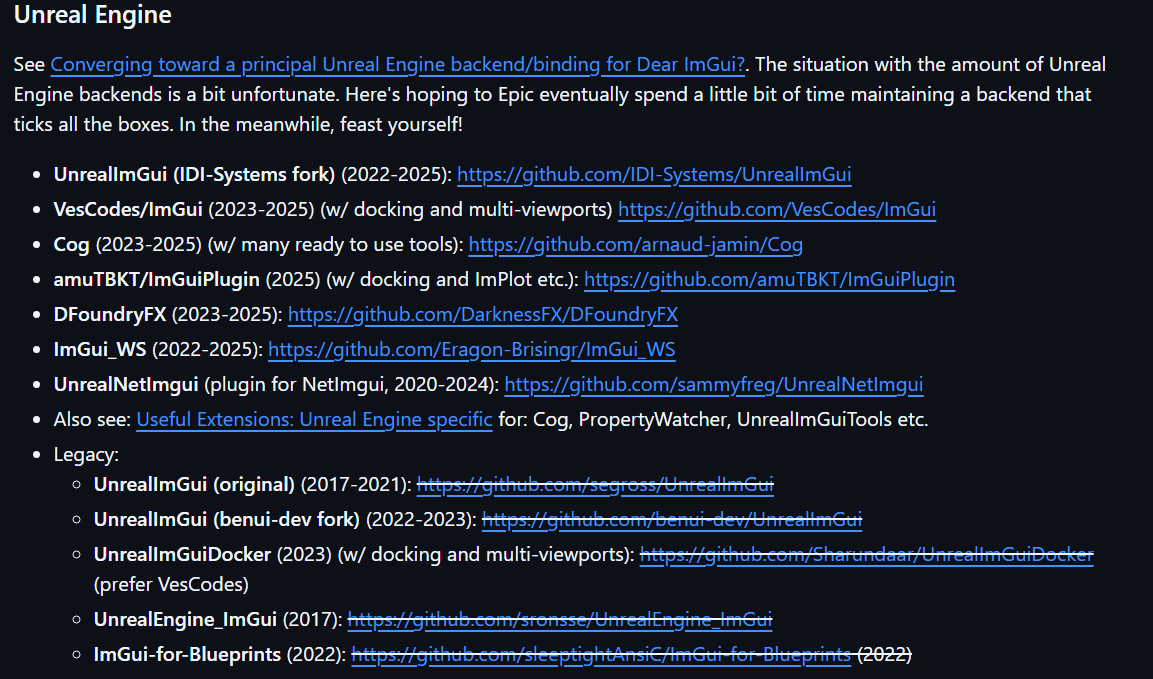
https://github.com/ocornut/imgui/wiki/Bindings
This time, I gave UnrealImGui a chance. Once cloning is complete, we need to restart the engine, and the plugin is ready to use. It has been supported since 2022 and will hopefully continue to be in the future. All that remains is to check performance on both engines.
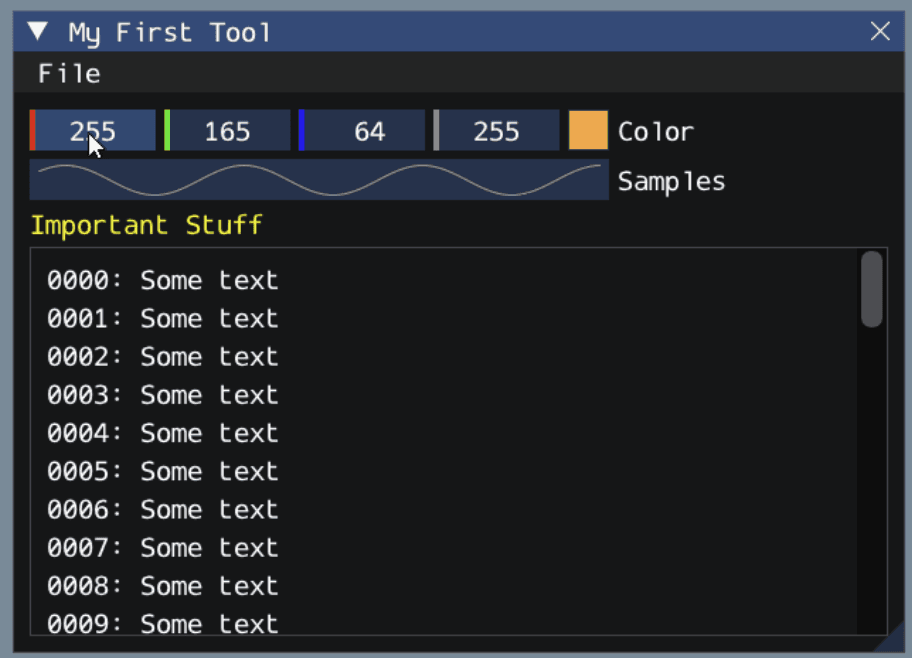
Testing platform
Comparison of all these IMGUI technologies is challenging, and we won’t fight for maximal accuracy here. We are comparing libraries with different core design assumptions, so we will be comparing apples to pears. The goal of the performance test is to get a general overview of how these technologies deal with a higher level of in-game debug panel complexity.
Stress test details
For the purpose of this article, I generated a stress-test panel with an LLM that, in terms of complexity, is similar to the in-game debug tools we used during the development of No Rest for the Wicked. We're gonna use that to compare the performance of all specific engine-dedicated solutions.
Each Benchmark has been measured on the development build.
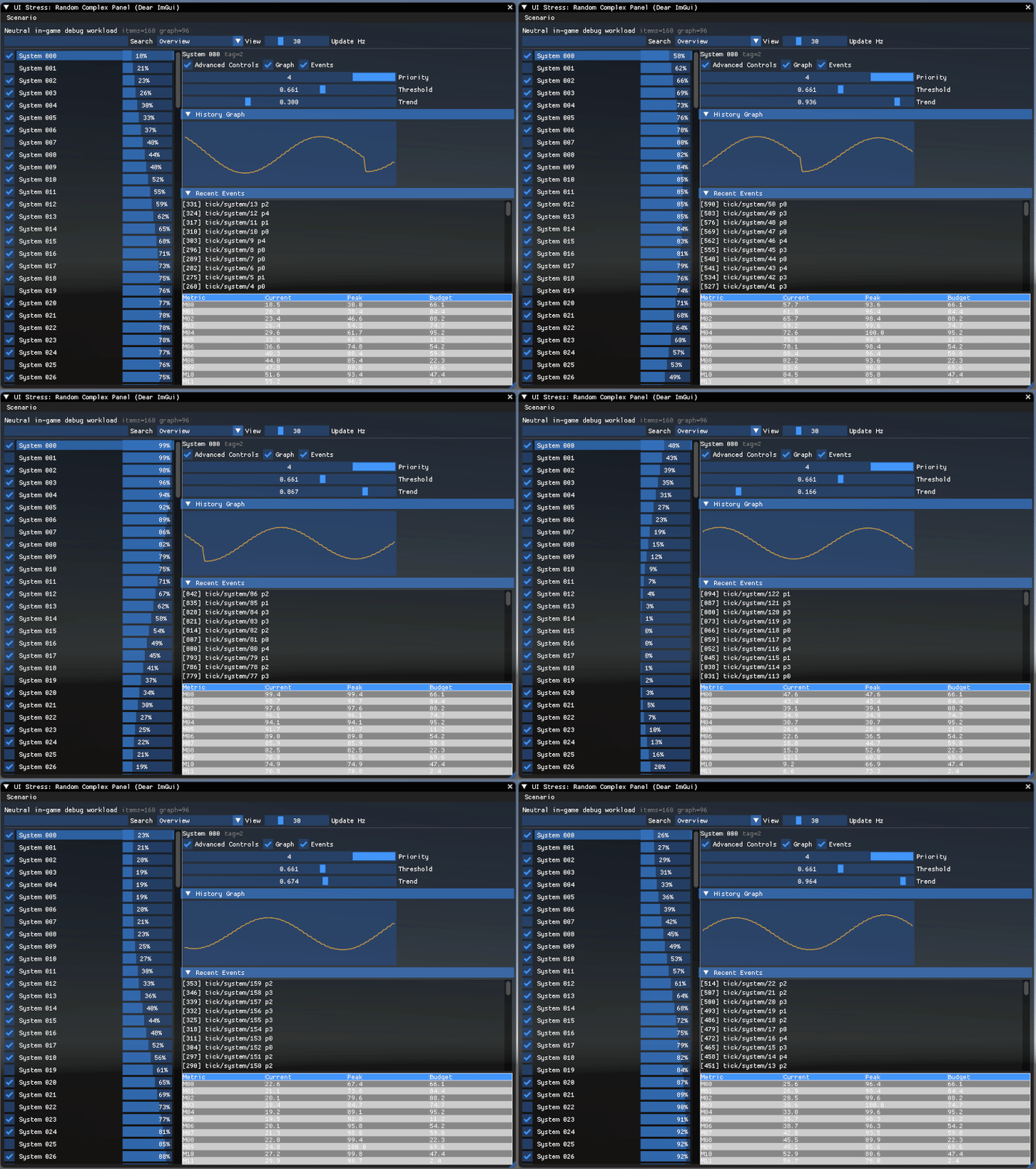
Stress Test In-Game Debug Window
Testing Machine:
Intel Core i9-13900H + Nvidia RTX 4060
Black Box Performance tests
Now let’s measure how the Unity IMGUI, SlateIM, and Dear IMGUI perform in both Unity and Unreal engines. We're gonna measure the raw CPU and GPU overhead introduced by each window on top of an empty scene. The measurement is not fully objective, and it might turn out under some other conditions (different testing platform), the overhead ratios are gonna vary. It also contains a “third-party” error, since we are not measuring only the IMGUI lib but the whole ecosystem.
Unity IMGUI
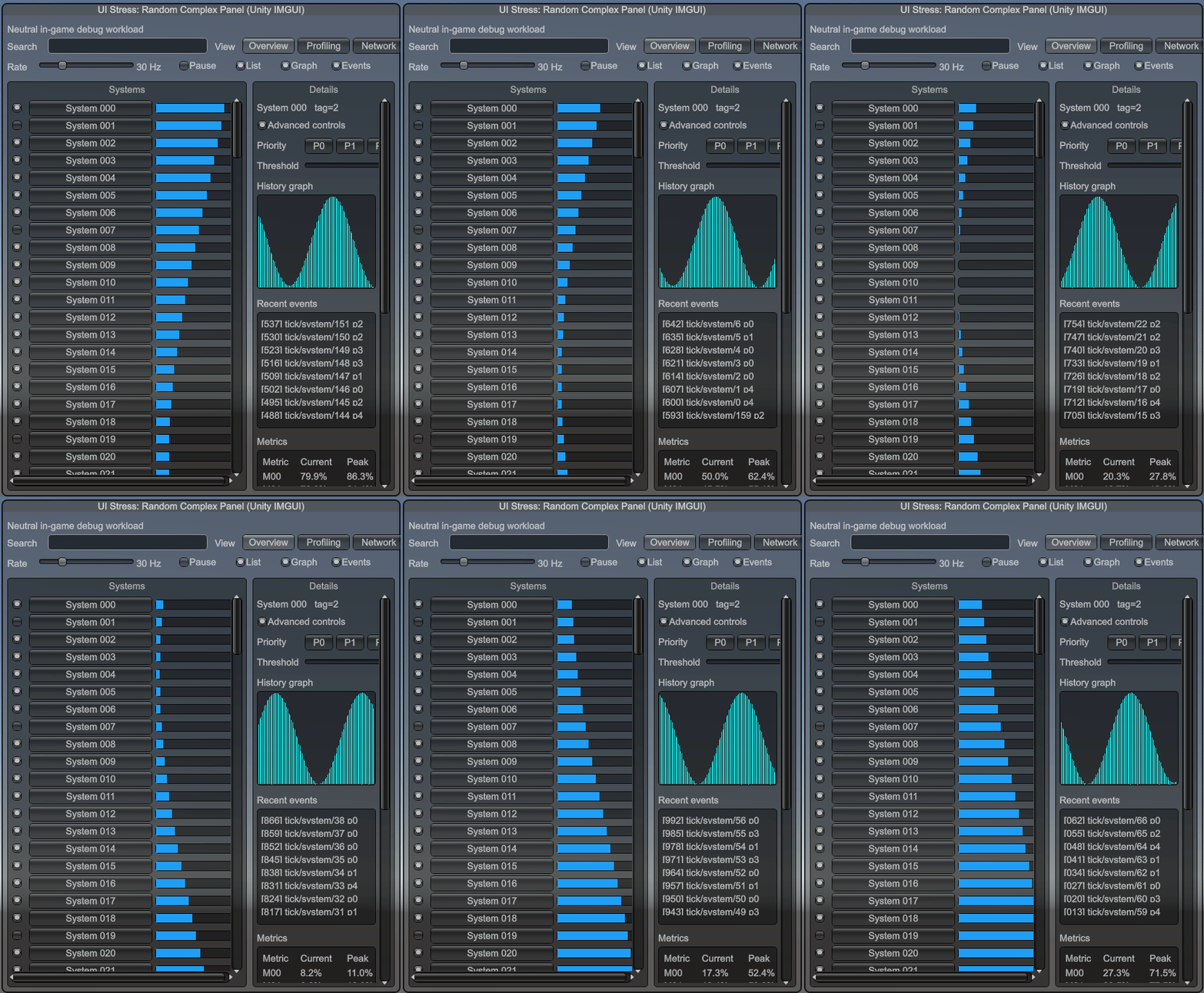
Unity IMGUI Stress Test window
Unity Empty Scene | Unity IMGUI | Overhead (1920x1080) | |
CPU [ms] | 4.708 | 31.654 | 26.9 |
GPU [ms] | 1.392 | 15.467 | 14.075 |
The timings are stunning, and these measures were taken in an empty Unity project/scene on a high-end PC. What sits behind that huge performance overhead?
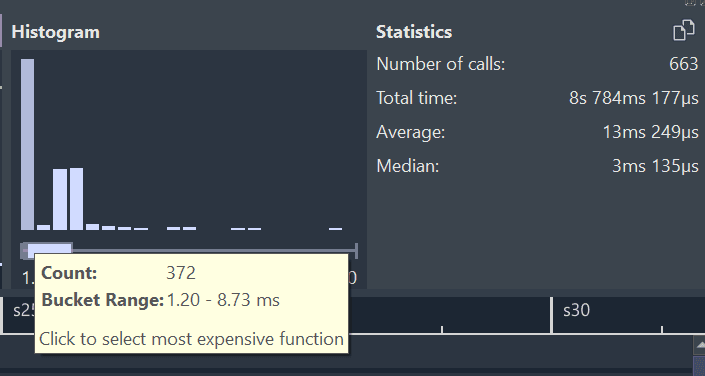
Histogram: Unity IMGUI OnGUI() call
The histogram shows the average OnGUI execution time. That performance overhead is crazy. The samplings have a broad range since OnGUI() is called multiple times during a frame update.
There are three passes I encountered:
1) Layout pass: It builds a temporary tree of layout objects in memory to handle auto-spacing and alignment.
2) Event pass: Unity calls OnGUI() again to see if the user’s mouse position overlaps with the coordinates calculated in the Layout pass.
3) Repaint/Render pass: Unity calls OnGUI() a third time to actually send commands to the GPU.
All three stages call the OnGUI method again within a single frame update. That makes the whole thing much more expensive from the get-go. It seems like the Layout pass is skippable, since we can use absolute positioning instead of autolayout, but that complicates the whole tool usage.

I encountered is horrible GPU performance overhead. It turned out to be due to very poor batching. Almost all GUI calls are split into separate draw calls. Plus, the culling does not exist in that case.
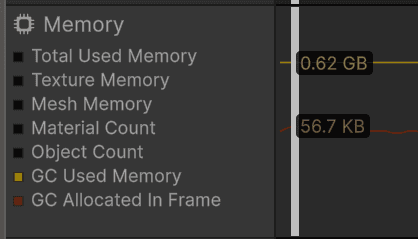
Memory profiler: Unity IMGUI allocates 56.7KB every frame
Another thing is that every such call tends to allocate some memory. Obviously, we can work this around, but without solid attention, it could become a huge problem.
In the example, new GUIContent() is gonna be allocated each frame … so even without comparison, we can say Unity IMGUI has three solid performance problems:
1) multi-pass OnGUI update
2) tends to be memory allocation heavy
3) almost doesn’t batch any draw calls
Dear IMGUI (Unity)
Dear IMGUI Stress Test window
Unity Empty Scene | Dear IMGUI (Unity) | Overhead (1920x1080) | |
CPU [ms] | 4.708 | 7.215 | 2.507 |
GPU [ms] | 1.392 | 1.44 | 0.048 |
Dear IMGUI (Unity), timings look much better.
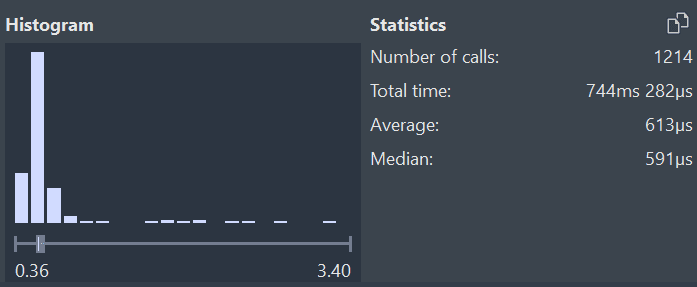
Superluminal histogram of DearIMGUIBenchmarkSubsystem::DrawDearImGui()
Median IMGUI layout call dropped from 3ms to 0.6ms, and that’s only one element of the whole.
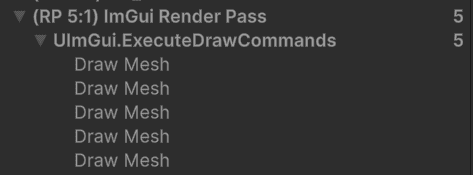
The draw call overhead is almost not noticeable for such a complex window. The window is rendered with around 5 draw calls… and, from my perspective, could be reduced to a single draw call, since the draw calls share the same context.
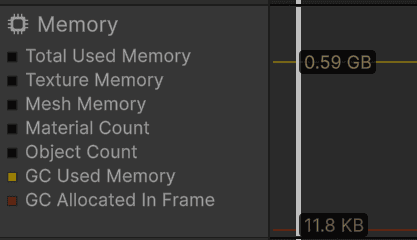
Memory profiler: Dear IMGUI (Unity) allocates 11.8KB every frame
Dear IMGUI also allocates some memory; the order of magnitude is 5 times lower, but 10 KB per frame is still alarming. Why is that?
I mentioned that publicly available bindings of DearIMGUI allocate memory. That’s because C# strings are encoded using the UTF-8 standard, while C# works with UTF-16. Public bindings convert every single string containing a call by allocating its UTF-8 version. That’s not the most effective way to handle the problem, so we need to be aware that the publicly available solutions are not memory allocation-free.
For “No Rest”, our core tech team invested significant time fixing the problem by introducing our own bindings.
SlateIM

SlateIM Stress Test panels
Unreal Empty Scene | Slate IM | Overhead (1920x1080) | |
CPU [ms] | 1.01 | 4.40 | 3.39 |
GPU [ms] | 6.49 | 7.35 | 0.86 |
At first glance, we can see some CPU performance overhead.
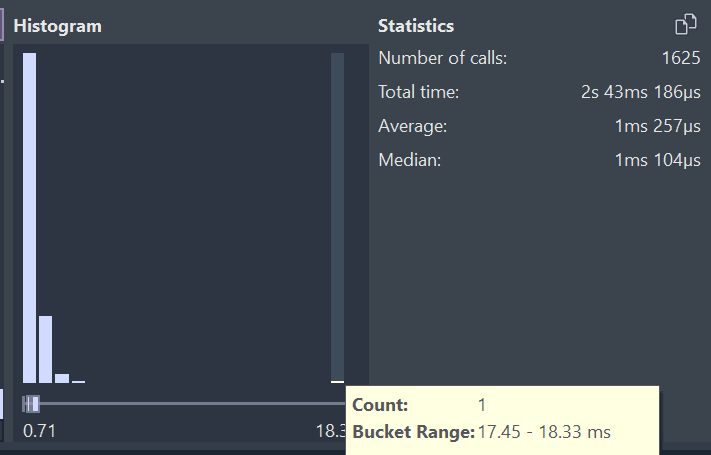
Superluminal histogram of SlateIMBenchmarkWidget::DrawWidget()
Slate creates the layout during the first call and caches it; as we can see, layout creation takes around 17ms. After that, CPU overhead is close to 1ms.
As we saw, with Unity, IMGUI batching is crucial for the IMGUI lib, so I wanna check it out in this case as well. The example window renders around 60 (238 is the base) draw calls, which is not bad; it just tries to batch draw calls the same way that under-sitting Slate does.

Dear IMGUI (Unreal)
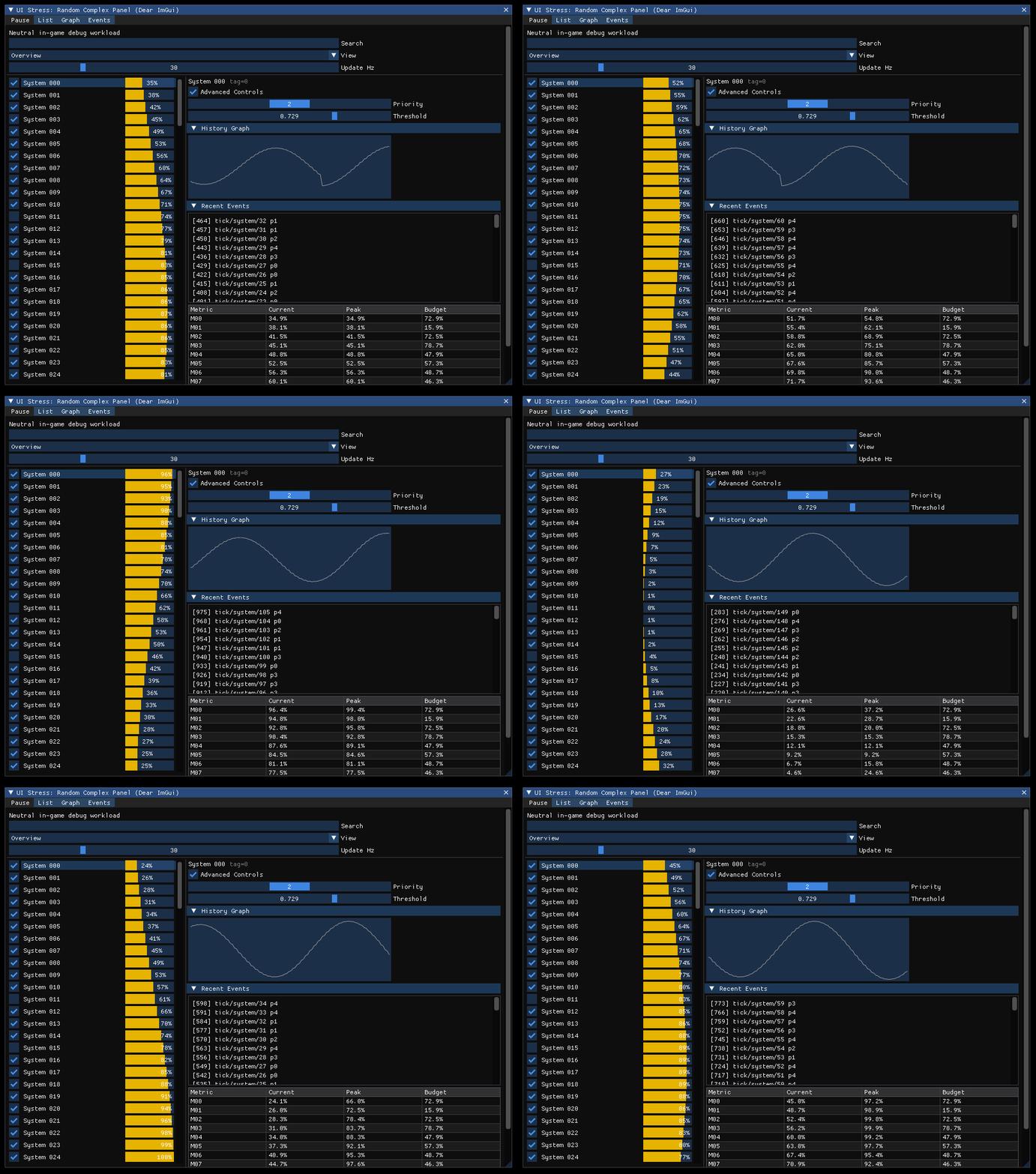
Dear IMGUI Stress Test panels
Res (1920x1080) | Unreal Empty Scene | Dear IMGUI (Unreal) | Overhead |
CPU [ms] | 1.01 | 1.36 | 0.35 |
GPU [ms] | 6.49 | 7.13 | 0.64 |
The same window layout is executed 10 times faster on the CPU side - around 0.1ms on average.
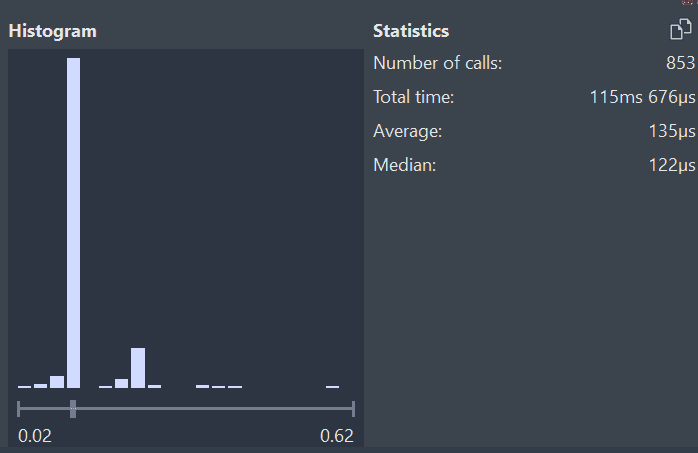
Superluminal histogram of DearIMGUIBenchmarkSubsystem::DrawDearImGui()
Dear IMGUI (Unreal), the histogram also looks around 10x better.

The draw call overhead is again negligible. The window is getting rendered in 8-10 draw calls.
Both DearIMGUI and SlateIM don't allocate any memory on runtime. DearIMGUI in that case doesn't need any bridge.
Conclusion
Unity IMGUI
Results are shocking. In a battle with Unity IMGUI, Dear IMGUI wins on every field. It allows us to reduce the performance overhead of, for example, In-Game Debug tools by 10x on CPI and 300x on GPU.
Overhead (1920x1080) | Unity IMGUI | Dear IMGUI |
CPU [ms] | 26.9 | 2.507 |
GPU [ms] | 14.075 | 0.048 |
SlateIM
Slate overhead is much more acceptable, but Dear IMGUI is still a CPU efficiency king, beating SlateIM by 10x.
Overhead (1920x1080) | SlateIM | Dear IMGUI |
CPU [ms] | 3.39 | 0.35 |
GPU [ms] | 0.86 | 0.64 |
Project Scale vs Production Cost
Is it worth integrating and maintaining DearIMGUI in your project? It depends on the needs of your runtime development tools and the project's scale.
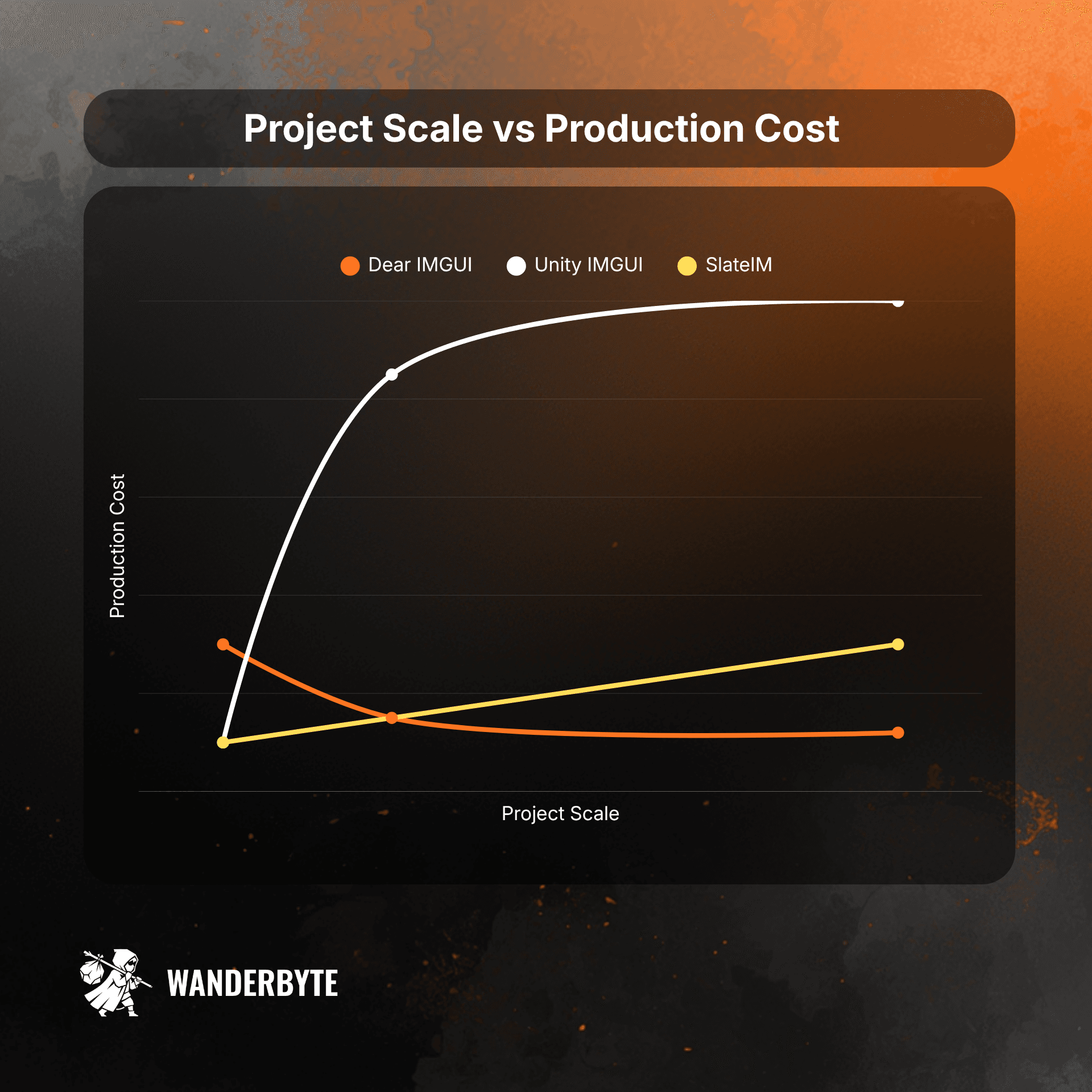
Project Scale vs Production Cost plot
Even though Dear IMGUI is the most performant tech for both CPU and GPU, it's gonna always cost us an initial integration cost and maintenance risk.
For No Rest for the Wicked, we had to implement our own bindings between C# and the native library to avoid unnecessary memory allocations, since publicly available solutions don't handle this well. If you can't accept the memory overhead, public solutions introduce initial integration costs that are gonna kill the profits you get from using the library on your small project.
For a very small project, the cost is gonna be higher than the production cost of slightly worse performance or extensibility. Even for Unity IMGUI, if your project doesn’t require complex, daily-use custom tooling, it doesn’t make sense to pay the initial cost and take on maintenance risk. That break-even point is even higher for SlateIM, which is performant enough for most game projects. It will scale much worse, though.
Unity Projects: I would consider Dear IMGUI always before implementing any major in-game debug tool. I wouldn’t use that on every project to avoid integration and risk of maintenance costs.
Unreal Projects: I would consider Dear IMGUI if you work on a complex product with tons of custom tools, or if you feel SlateIM's feature set is weaker.
Key takeaways
Game Editor workflow and performance problems are reasons why your project costs you more and more with every milestone.
Editor workflow hygiene increases your production speed, lowers costs, and saves your team a lot of sanity points!
Don’t always trust built-in engine solutions!
General-purpose APIs usually incur overhead - they are intended to work in every situation, not only for our specific problem.
Introducing custom tooling also requires trade-offs.
DearIMGUI allowed us to minimize the performance overhead introduced by in-game tools and increase team-wide production speed.
PS: Special thanks to Sini and Caspar for sharing story behind integrating DearIMGUI in No Rest ;)
Sources
Casey Muratori's original video that popularized the IMGUI concept:
https://www.youtube.com/watch?v=Z1qyvQsjK5Y
DearIMGUI wiki:
https://github.com/ocornut/imgui/wiki
Creating Debug Tools with SlateIM | Unreal Fest Stockholm 2025: